Mina Smart Remote Your phone is
the TV remote.
Control your smart TV from your iPhone over your home Wi-Fi. No extra hardware, no setup.
Coming soon to the App Store
See how it worksFree to download. The basic remote is always free. The app interface is currently in Turkish.
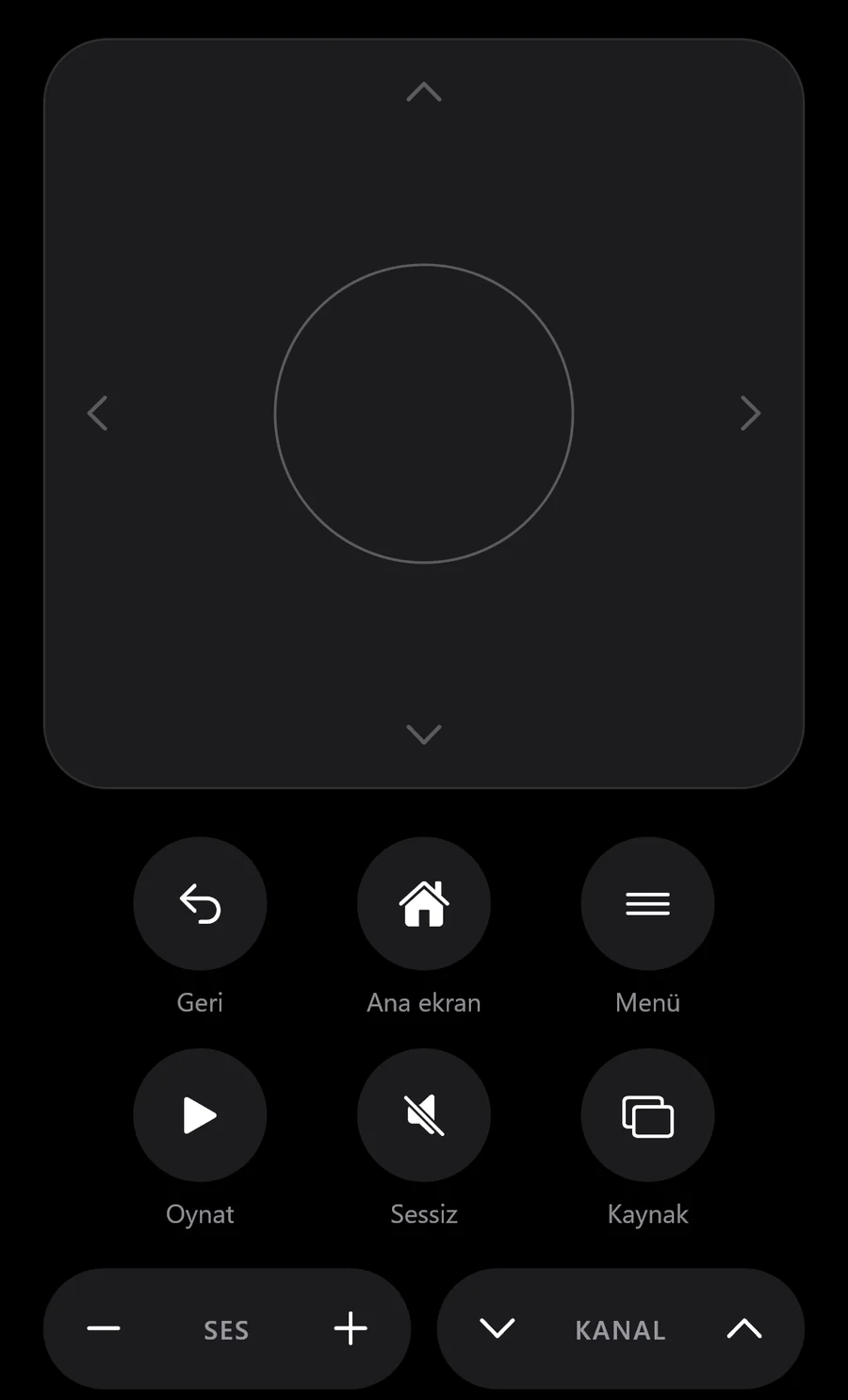
Touchpad
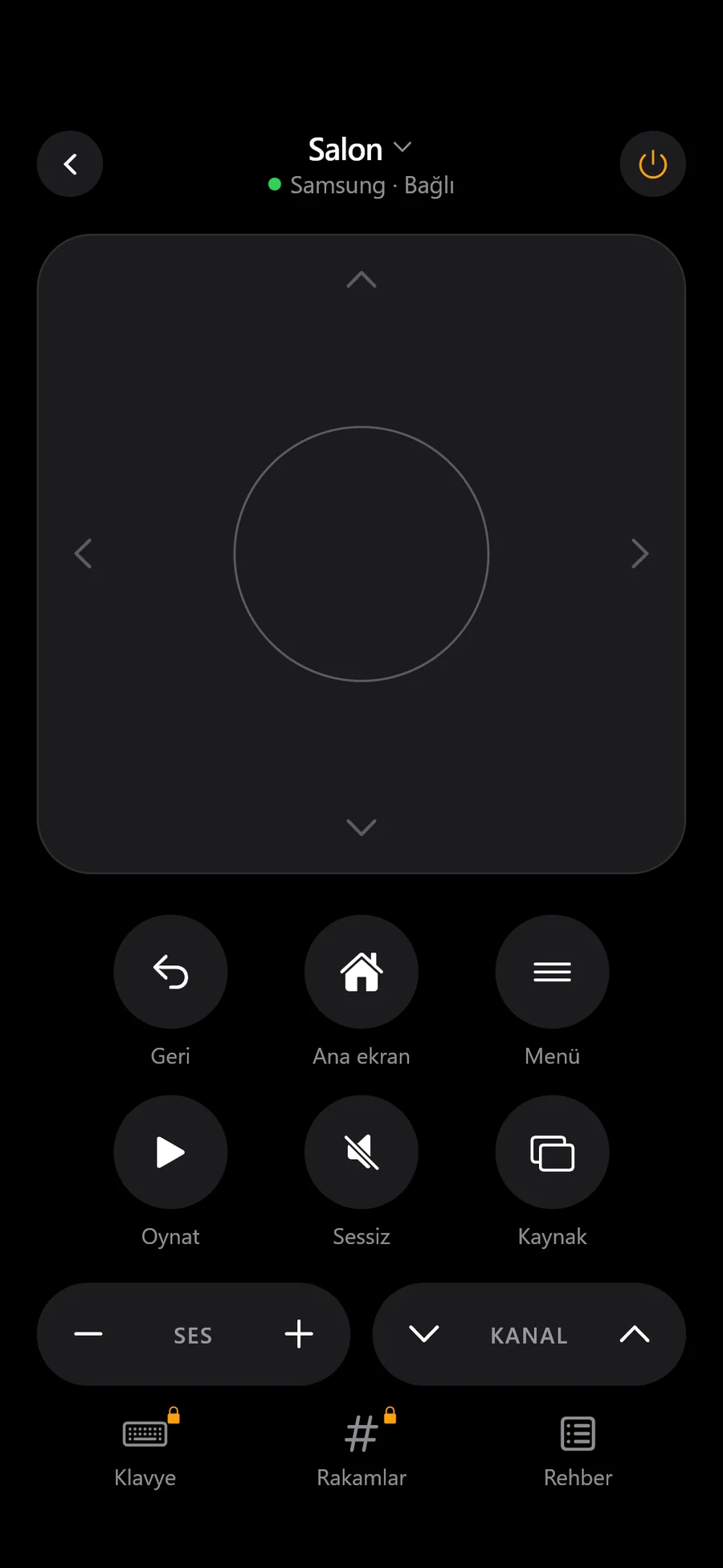
Swipe. Tap. Watch.
Swipe to move through menus and tap the center to select. Volume and channel keys sit right under your thumb.
Easy setup
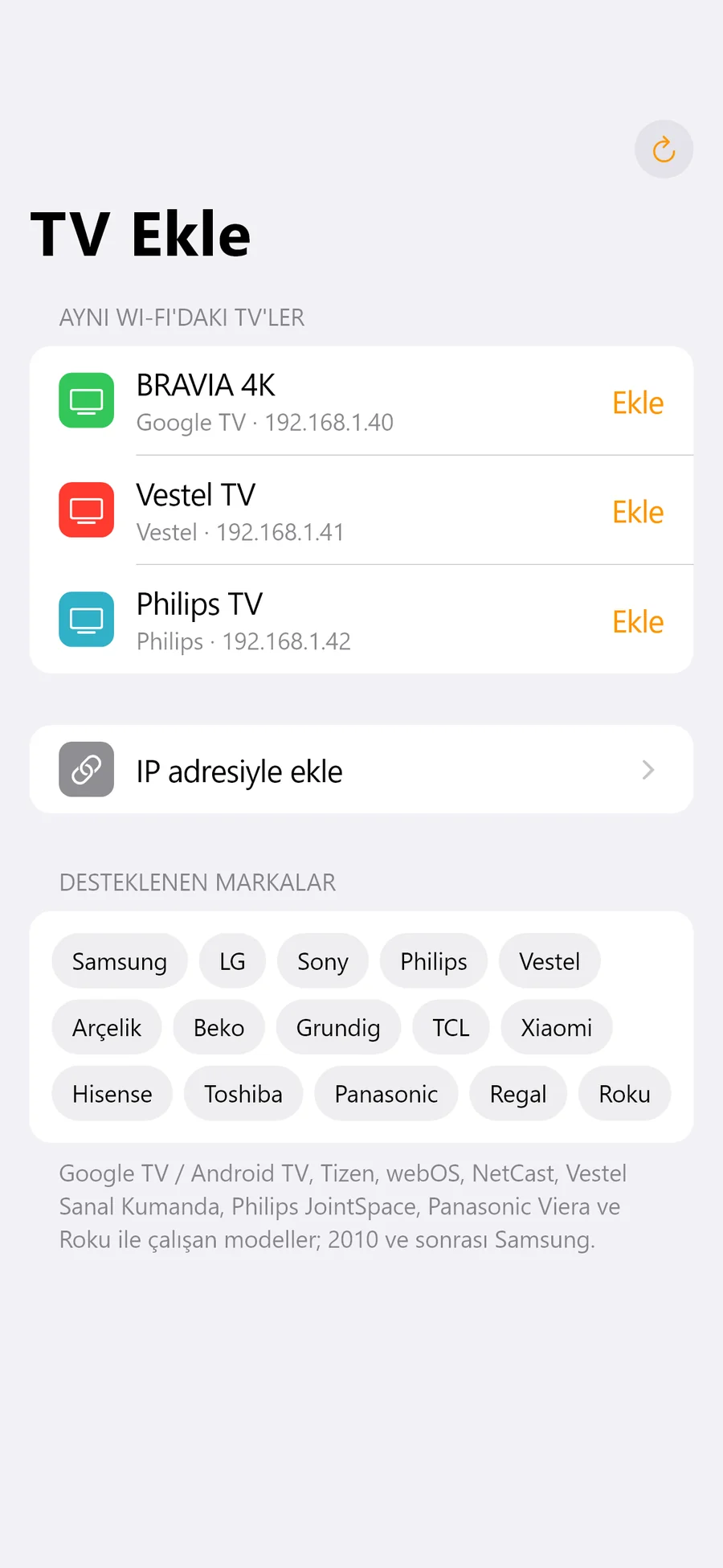
It finds your TV.
Open the app and TVs on the same Wi-Fi appear within seconds. On first connection, approve the prompt on the TV or enter the code it shows. You won't be asked again.
Power
Turn on your TV from your phone.
Mina wakes a TV in network standby with a single tap. Just enable “Power on with mobile” or a similar option in the TV's settings.
Features
Every key you need.
- Pro
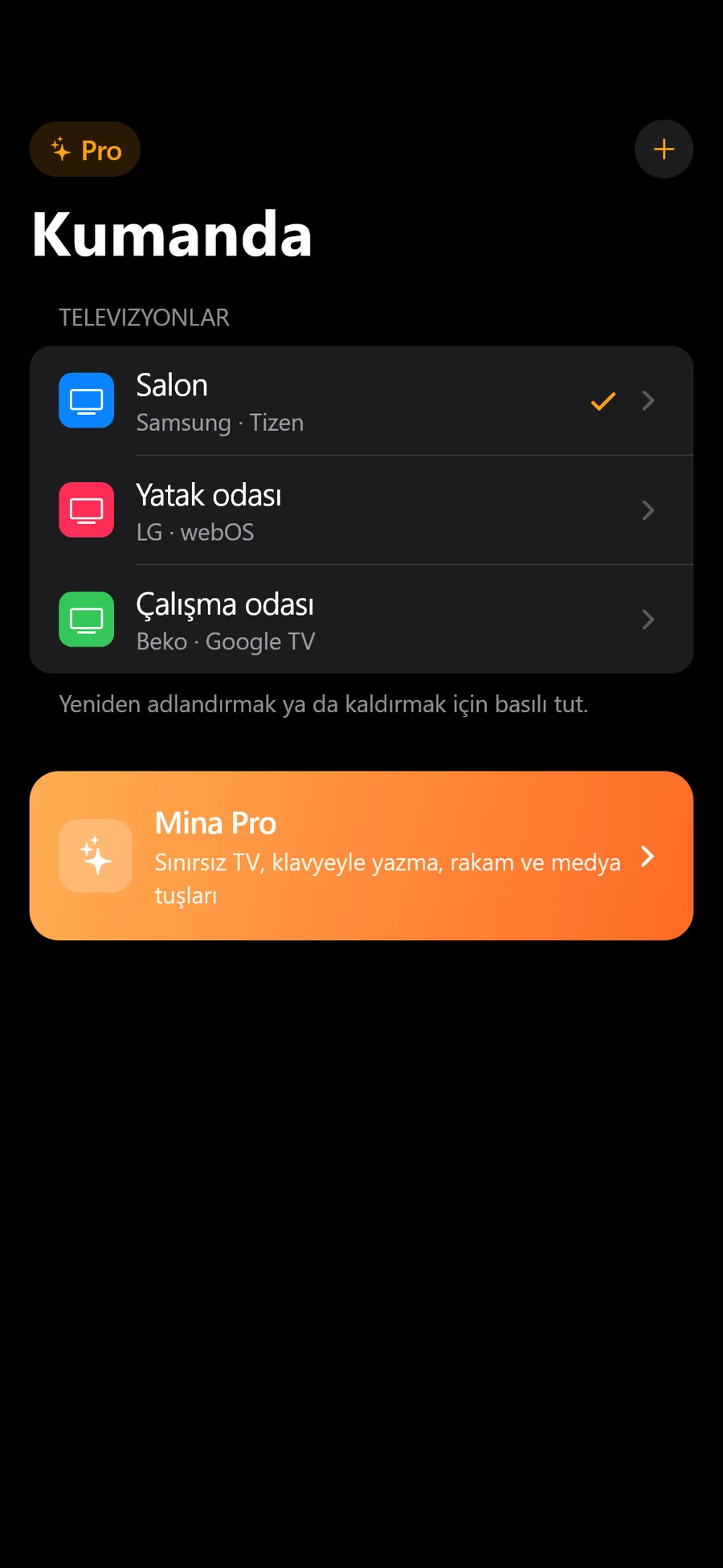
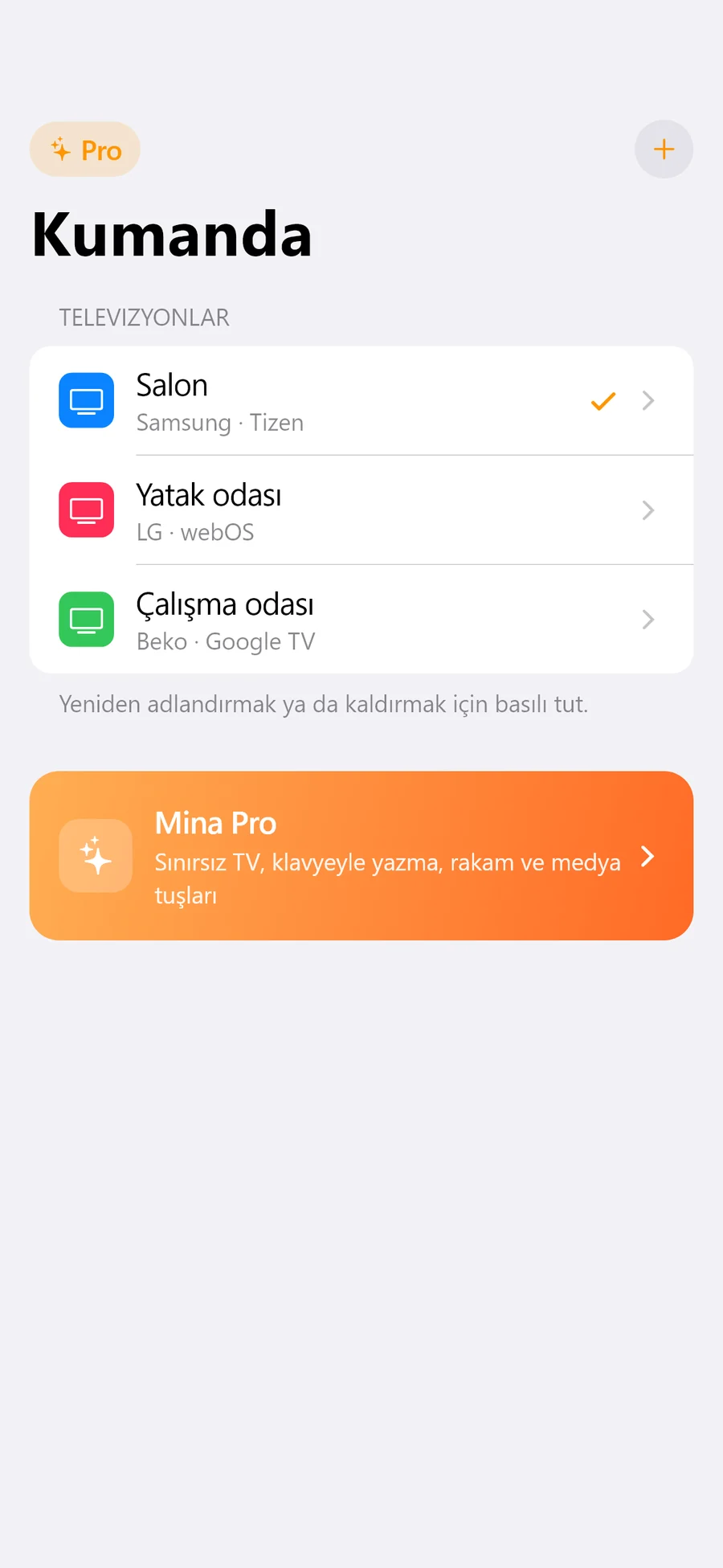
Multiple TVs
The living room, bedroom and study TVs in one list.
- Pro
Type with your keyboard
Enter searches and passwords from your phone instead of the TV's on-screen keyboard.
- Pro
Number and media keys
Enter channel numbers; play, pause, fast-forward and rewind.
Easy at night
Dark theme, big keys and haptic feedback that go easy on your eyes in the dark.
Clean and ad-free
A simple design that feels at home on iPhone. No ads, no pop-ups.
Direct connection
Talks to your TV straight over your home network. No cloud round trips, no lag.
Compatibility
One app for every TV in the house.
Tizen, webOS, Google TV, Android TV, Roku and the brands' own network remotes. Including Samsung models back to 2010, LG NetCast and Panasonic Viera.
- Samsung
- LG
- Sony
- Philips
- Vestel
- Arçelik
- Beko
- Grundig
- TCL
- Xiaomi
- Hisense
- Toshiba
- Panasonic
- Regal
- Hitachi
- JVC
- Roku
- Tizen
- webOS
- NetCast
- Google TV
- Android TV
- Roku TV
- Saphi
- Titan OS
- Viera
For Arçelik, Beko, Grundig, Hisense, TCL and Xiaomi, Google TV / Android TV models are supported. TVs that only use infrared and never join the network are not supported.
Mina Pro
The basic remote is free.
Pro unlocks the rest.
The free version controls 1 TV with arrows, volume, channel and power. Pro unlocks everything.
- Unlimited TVs
- Keyboard typing
- Number and media keys
Yearly
Billed once a year
Lifetime
Pay once, no subscription
Prices are shown in your local currency in the App Store.
Privacy
No account. No ads. No tracking.
Mina collects no personal data. It talks to your TV directly over your home network, and your TV list stays on your phone.
Privacy PolicyFrequently asked questions
Which TVs does it work with?
Samsung (2010 and later), LG (webOS and 2012–2013 NetCast), Google TV / Android TV models (Sony, TCL, Xiaomi, Philips, Arçelik, Beko, Grundig and others), Philips Saphi and Titan OS, Vestel Virtual Remote models (Vestel, Regal, Toshiba, Hitachi, JVC), Panasonic Viera and Roku TV.
Do the TV and phone need the same Wi-Fi?
Yes. Mina talks to the TV directly over your home network. No internet connection is needed, but both devices must be on the same network.
Can it turn on a TV that's off?
Yes, on TVs that support network standby. Enable an option like “Power on with mobile”, “Turn on via Wi-Fi” or “Network standby” in the TV's settings. A TV that is unplugged can't be woken over the network.
What happens the first time I connect?
Some TVs ask for permission on screen, others show a code. Once you approve or enter the code, the pairing is saved and you won't be asked again.
How do I cancel Pro?
Cancel the yearly plan any time on your iPhone in Settings > your name > Subscriptions. Lifetime is a one-time purchase and never renews.
I got a new phone. What about my Pro?
Sign in with the same Apple Account and tap “Restore purchases” on the Pro screen.
Is Mina an official app of these TV brands?
No. Mina is an independent app and isn't affiliated with any TV maker. Brand names are used only to describe compatibility.
Stop looking for the remote.
Download Mina and connect to your TV in seconds.
Coming soon to the App Store
Free to download. The basic remote is always free. The app interface is currently in Turkish.